Initial Response to Equipment Problems
These are the steps to check when a device does not seem to be working properly. Detailed steps (with photos) are also available on the [Support] page under [Project Management] in the side menu.
Camera Unit Checklist
Make sure the power switch on the main unit is set to “ON”.
Make sure the camera is in video mode.
Make sure the signal is good.
Make sure the device registration in Pescle Rodents is correct (the serial number is correct).
Replace all batteries with new ones and check.
How to Check the Shooting Mode
The trail camera has two modes: video mode and still image mode. Pescle Rodents uses videos to identify pests.
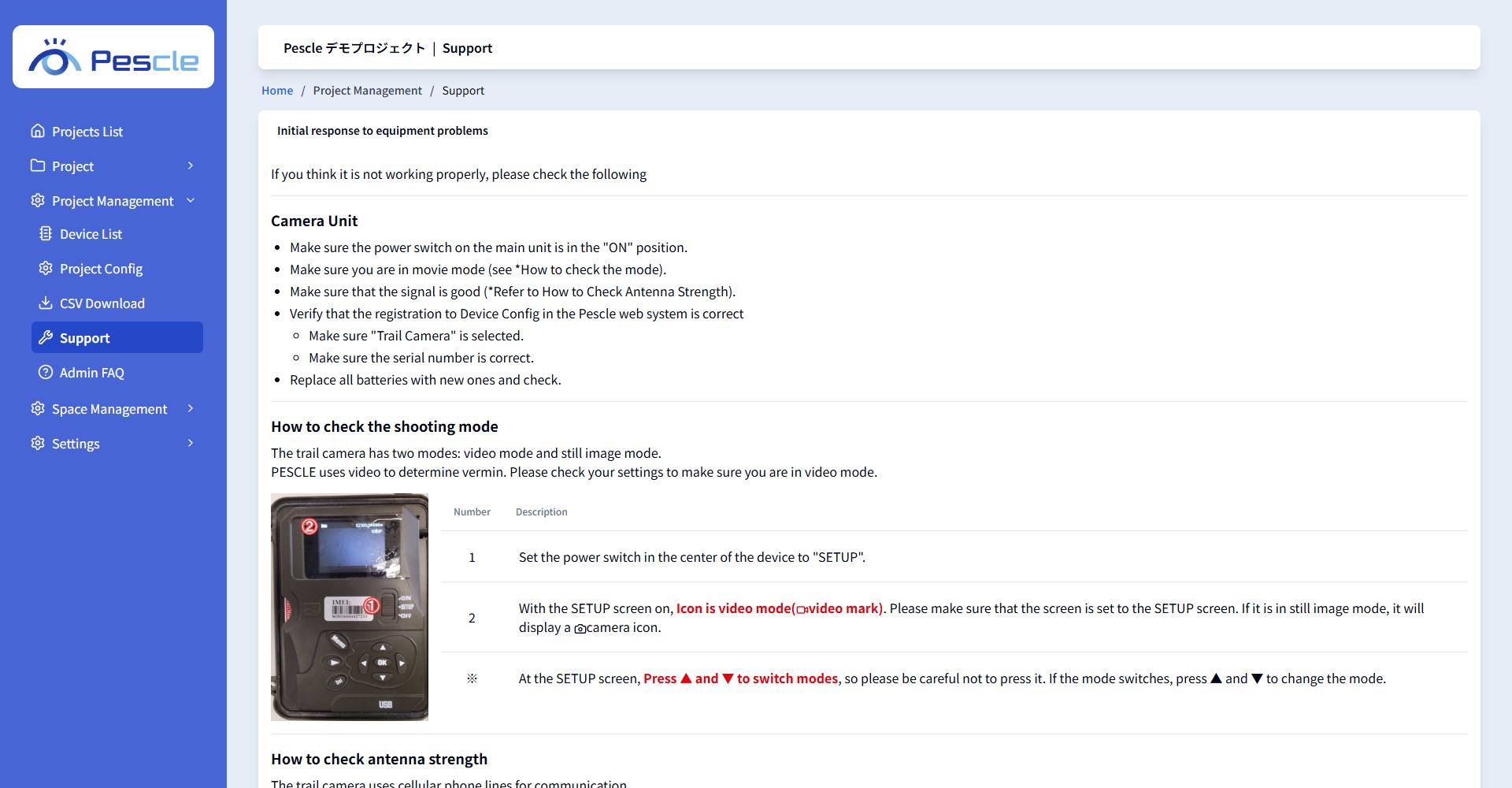
1. Set the power switch in the center of the device to “SETUP”.
2. On the SETUP screen, make sure the icon shows video mode (video mark). In still image mode, a camera mark is displayed.
Pressing ▲ and ▼ on the SETUP screen switches the mode, so be careful not to press them. If the mode switches, press ▲ and ▼ to change it back.
The antenna strength can be checked with the antenna mark only when the camera is switched to still image mode (camera mark) on the SETUP screen. After checking, be sure to return the camera to video mode.
Returning Defective Units
If the initial checks confirm that the unit does not work properly, please contact us and return it. For the contact and shipping details, see “Returning Defective Units” on the [Support] page.