Project Config and Member Management
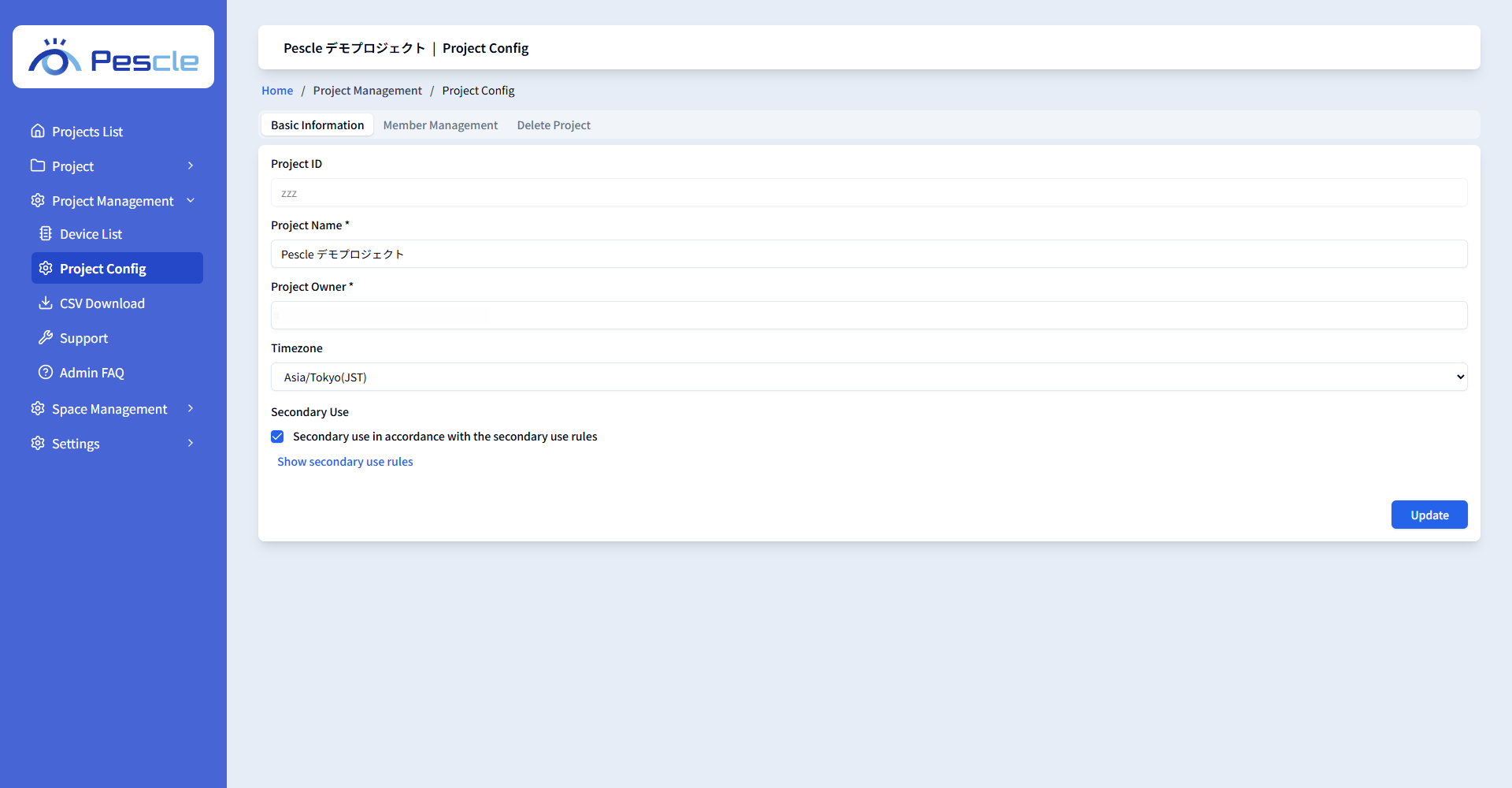
Project administrators can manage the project’s basic information and members in [Project Config] under [Project Management] in the side menu. The screen consists of three tabs: [Basic Information], [Member Management], and [Delete Project].
Basic Information
You can change the project name, project owner, timezone, and secondary use settings. After making changes, click the [Update] button. The project ID cannot be changed.
Member Management
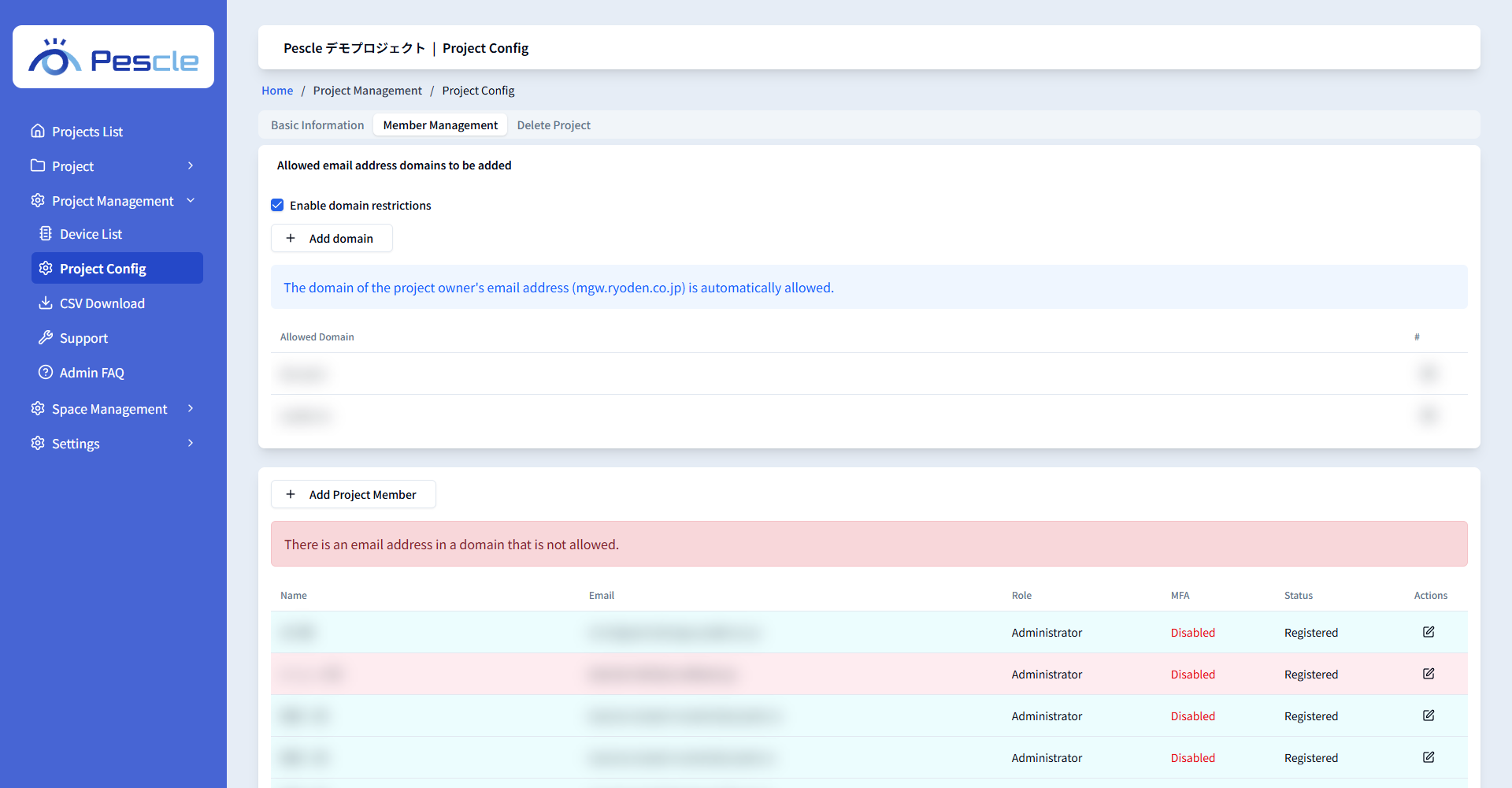
You can invite project members, change their roles, remove them, and restrict the domains that can be invited.
Adding a member
Click the [Add Project Member] button and enter the email address of the member to add. Check [Invite as administrator] to invite the user as an administrator; only users already registered with Pescle Rodents can be invited as administrators. An invitation email is sent to the added user. You can check the invitation status in the Status column of the list.
Changing a member’s role / removing a member
Use the [Edit Member] button in the list to change a member’s role (administrator or user) or remove the member from the project. The last administrator of the project cannot be changed or removed. If you change your own role, you will be forced to log out.
Domain restrictions
Check [Enable domain restrictions] to allow invitations only to email addresses in the domains registered via [Add domain] (up to 5 domains). The domain of the project owner’s email address is automatically allowed.
Delete Project
Deletes the project. All data related to the project will be deleted. This operation cannot be undone. For details, see Creating and Deleting Projects.