Creating and Deleting Projects
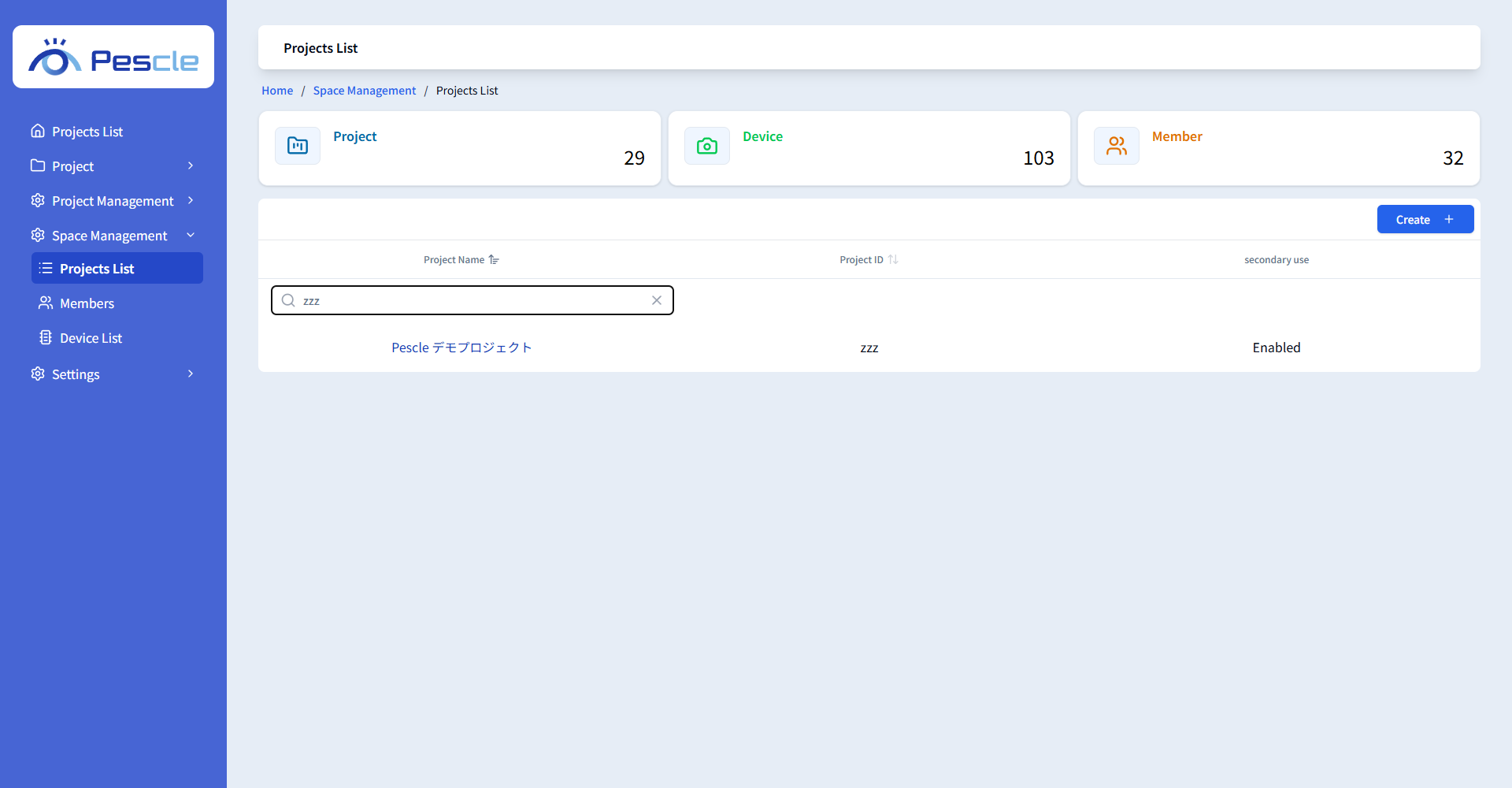
Space administrators can view all projects in the Space in [Projects List] under [Space Management] in the side menu. The total numbers of projects, devices, and members in the Space are displayed at the top of the screen.
Creating a Project
Click the [Create] button in the list to open the project creation screen. When you create a new project, the creator automatically becomes the administrator.
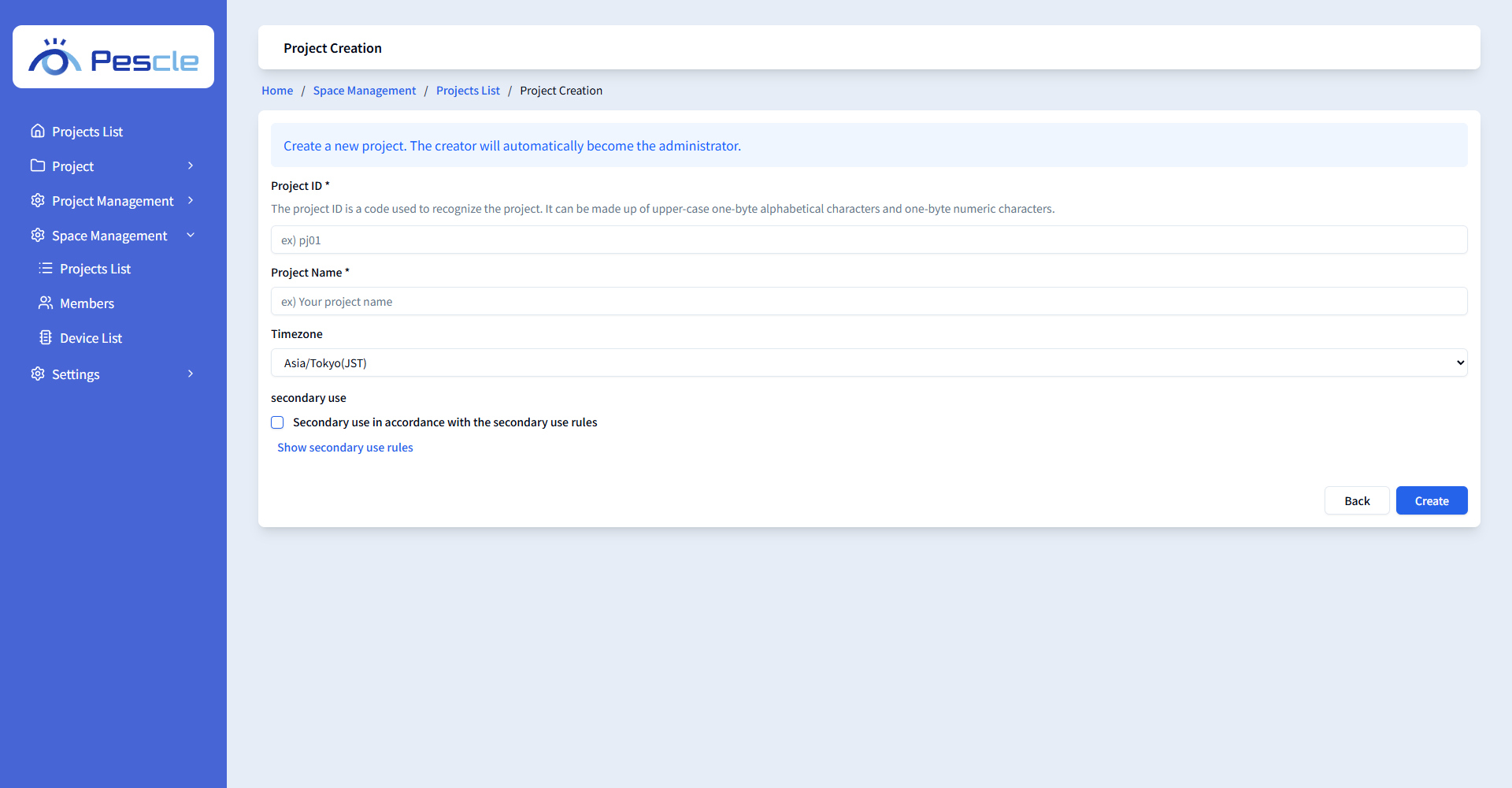
Item |
Description |
|---|---|
Project ID (required) |
A code used to identify the project. Enter 3 to 10 one-byte alphanumeric characters. An ID that is already in use cannot be registered. |
Project Name (required) |
The name of the project. |
Timezone |
Select Asia/Tokyo(JST) or America/New_York(EST). |
Secondary Use |
Check this box to make secondary use in accordance with the secondary use policy. You can review the policy via [Show secondary use rules]. |
After entering the fields, click the [Create] button to move to the Project Config screen of the created project.
Depending on your contract, the Secondary Use option may not be displayed in some cases.
Deleting a Project
Delete a project from the [Delete Project] tab of [Project Config] under [Project Management] of the target project.
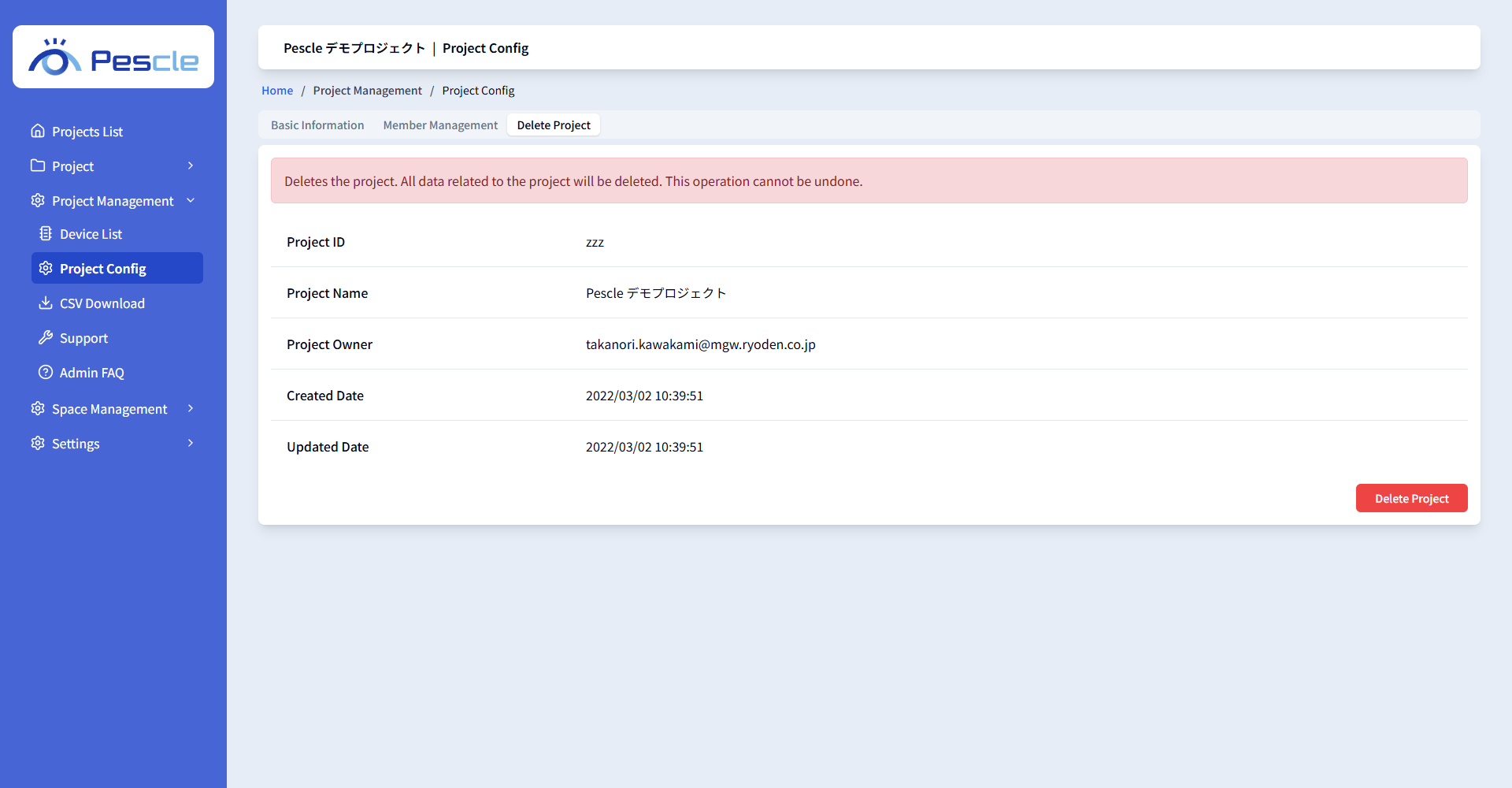
Click the [Delete Project] button and confirm in the dialog. All data related to the project will be deleted. This operation cannot be undone.