When You Receive an Invitation Email
When an administrator sends you an invitation, an invitation email will be sent to your email address. The invitation email contains a registration URL. Click the link to open the registration page and complete user registration. The URL has an expiration time. Please complete registration within 72 hours of receiving the email. After the expiration time, the link becomes invalid and you will need to be invited again.
Invitation Email Example
Dear example@pescle.com,

You have been invited to PESCLE by an administrator.
Please use the URL below to complete user registration and start using PESCLE.

URL: https://pescle.com/auth/signUp?....

Please note that registration is available only within 72 hours of receiving this email.

----
If you do not recognize this email, please discard it.
User Registration
After filling in all fields, click the [Sign Up] button to complete registration.
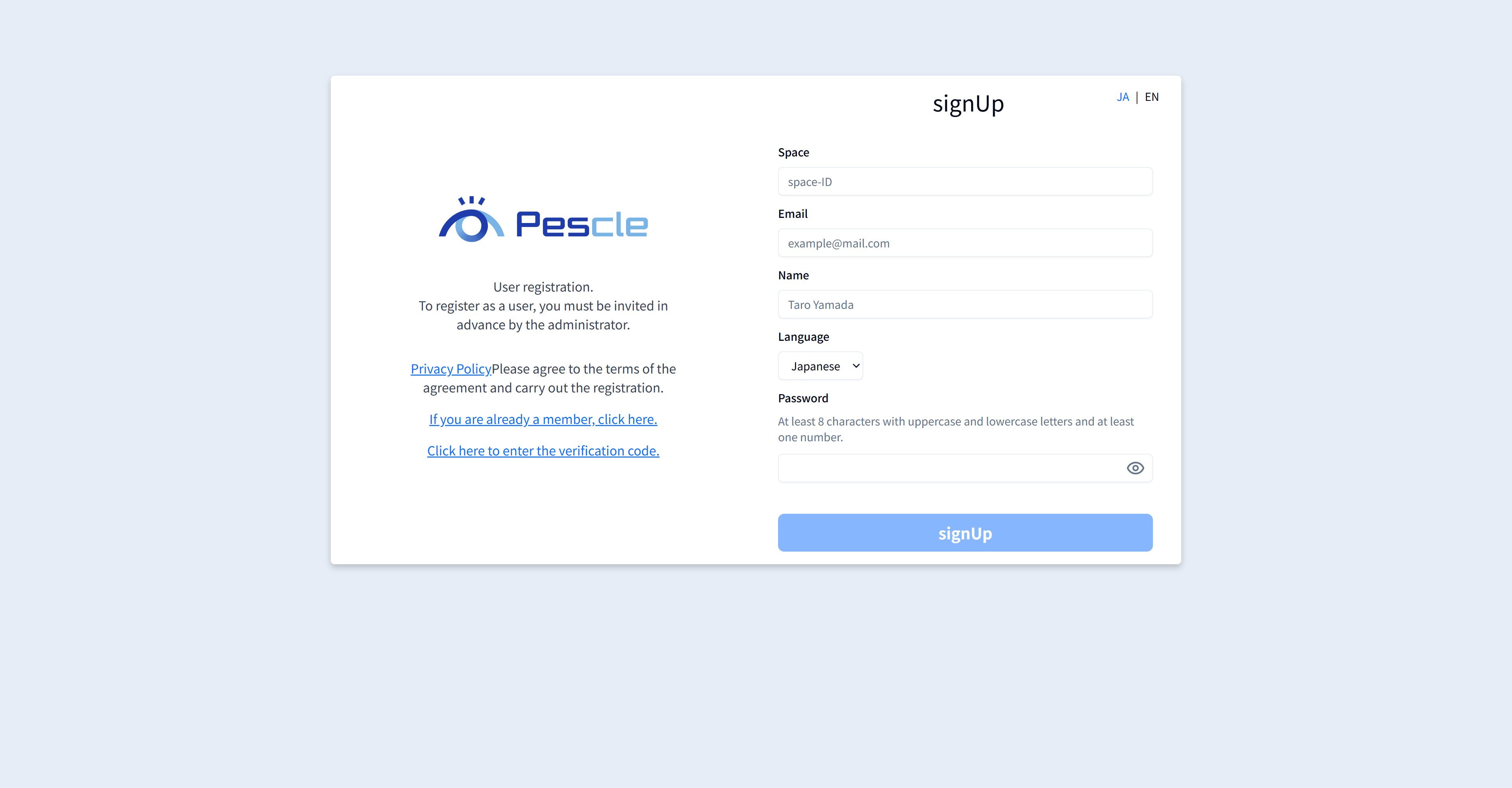
Field |
Description |
|---|---|
Space |
A space is a name defined for each company using Pescle Rodents. |
Enter your email address. Only the invited email address can be used. |
|
Name |
Enter your name. |
Password |
Enter the password you will use when signing in. |
Verification Code Registration
A 6-digit verification code will be sent to your email address to verify it. After receiving the code, enter your email address and the verification code to complete registration. Once the verification code is registered correctly, user creation is complete. Sign in from the sign-in page to start using Pescle Rodents.
If You Do Not Receive the Email
Depending on your email receiving settings, emails from Pescle Rodents may not arrive correctly. Please add the @pescle.com domain to your allowlist so you can receive emails from it. The method for allowlist settings differs by mobile carrier and device, so please follow the instructions provided by your carrier.