Opening a Project
In Pescle Rodents, a “Project” is the unit for managing devices (trail cameras), videos, and members for each facility or factory. The screen shows only the data of the currently selected project.
Selecting a Project
Click [Projects List] in the side menu to display the list of projects you belong to. Click the project you want to open to go to that project’s dashboard.
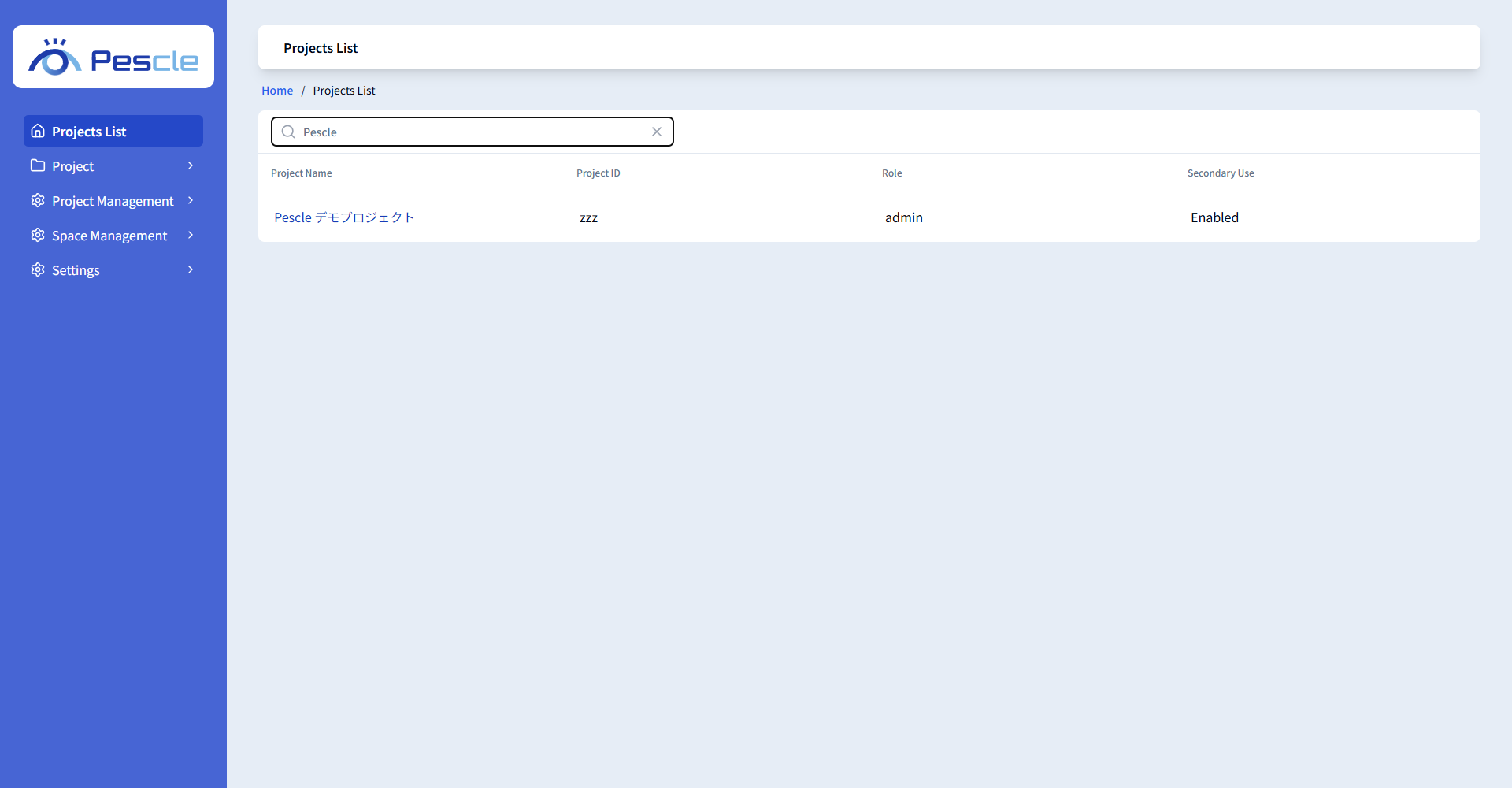
Item |
Description |
|---|---|
Project Name |
The name of the project. |
Project ID |
The ID that identifies the project. |
Role |
Your role in the project (admin / user). |
Secondary Use |
Shows “Enabled” for projects where secondary use is enabled. This column is displayed only for project administrators when the Space’s secondary use setting is enabled. |
If you have many projects, you can narrow down the list by entering part of a project name or project ID in the [Search] box.
Switching Projects
To view data of another project, select the project you want to switch to from [Projects List] in the side menu again.