Space-wide Device List
Space administrators can view the devices of all projects in the Space in [Device List] under [Space Management] in the side menu.
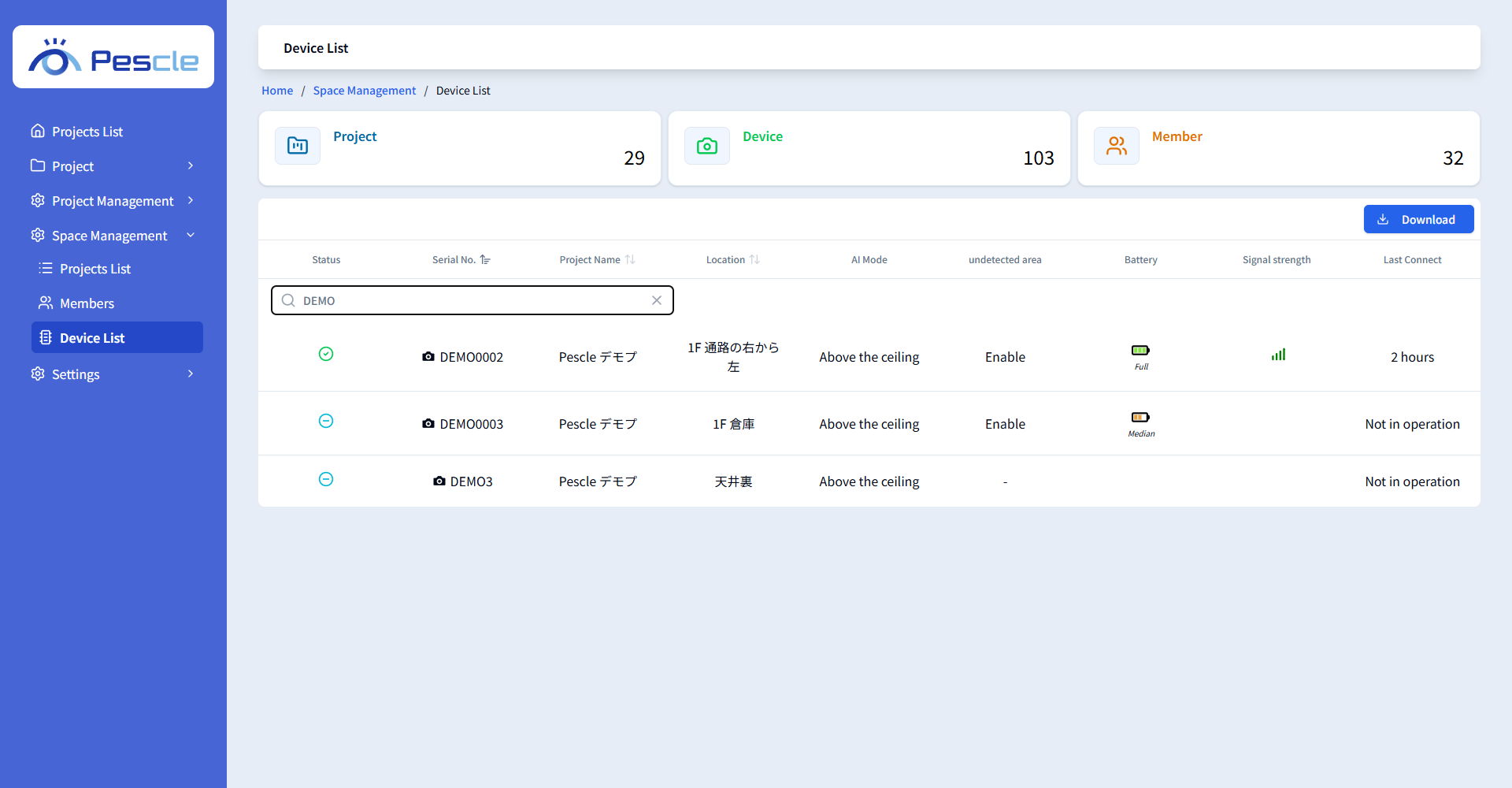
Reading the List
Item |
Description |
|---|---|
Status |
The operating status of the device (normal, error, or not in operation). |
Serial No. |
The serial number unique to the device. |
Project Name |
The project the device belongs to. |
Location |
The location of the device. |
AI Mode |
The current AI mode. |
Non-detection area setting |
Whether a non-detection area is set. |
Battery / Signal strength |
The battery level and signal strength as of the last communication. |
Last Connect |
The date and time the device last communicated. |
Filter the list by typing part of a serial number, project name, or location in the search box.
Downloading a CSV File
Click the [Download] button to download the list of devices in the Space as a CSV file.