Screen Layout (Common)
After signing in, the screen consists of a side menu on the left and a content area on the right. At the top of the content area, a title bar showing “project name | screen name” and a breadcrumb trail showing your current location are displayed.
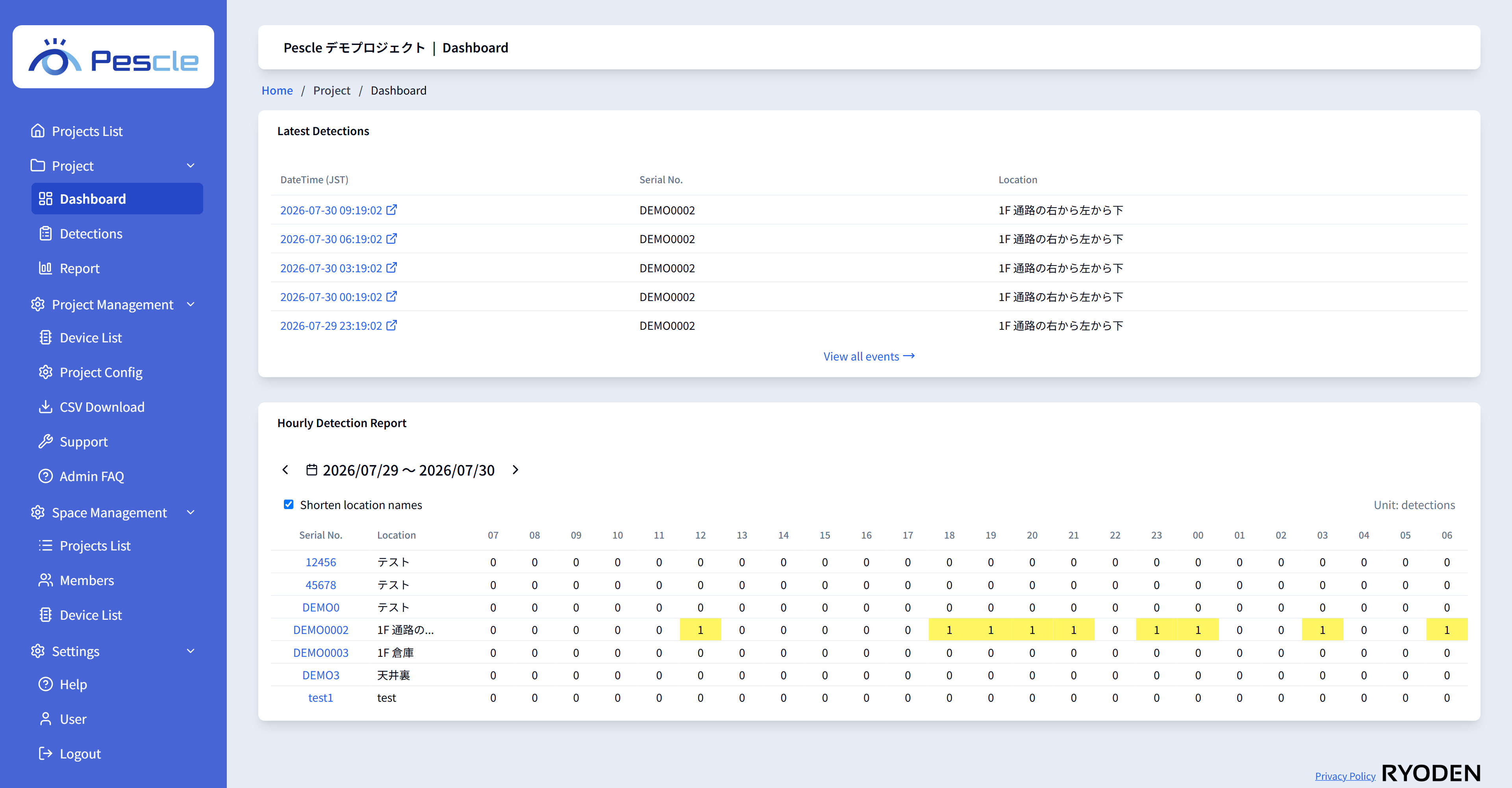
Side Menu
The menu items displayed differ depending on the user’s permissions.
Menu |
Description |
|---|---|
Projects List |
Shows the list of projects you belong to. |
Project |
Opens the [Dashboard], [Detections], and [Report] of the selected project. |
Project Management |
Displayed only for project administrators. Opens [Device List], [Project Config], [CSV Download], [Support], and [Admin FAQ]. |
Space Management |
Displayed only for space administrators. Opens the Space-wide [Projects List], [Members], and [Device List]. |
Settings |
Opens [Help], [User], and [Logout]. |
Display on Smartphones and Tablets
On narrow screens, the side menu is collapsed into the header at the top of the screen. Tap the menu icon in the header to display the same menu.